
Introduction
Your iPhone is already a powerful device, but the right accessories can make it considerably more convenient, comfortable, and enjoyable to use. Whether you rely on your phone for work, entertainment, navigation, photography, communication, or managing everyday responsibilities, small upgrades can make a noticeable difference. One of the most practical ways to get more out of your device is by exploring MagSafe accessories for iPhone.
Apple’s MagSafe technology has changed how people charge, mount, protect, and personalize their iPhones. Instead of dealing with complicated attachments, loose cables, and accessories that constantly slip out of position, MagSafe uses a magnetic attachment system to make compatible accessories easier to connect and use.
From wireless charging stands and magnetic car mounts to wallets, battery packs, desk stands, and protective cases, there are numerous ways to customize your iPhone around your lifestyle. You can create a more organized workspace, make driving navigation more convenient, simplify charging at night, or keep essential cards close without carrying an additional wallet.
However, with so many products available, choosing the right accessories can become confusing. Are all magnetic phone accessories compatible with MagSafe? Do magnetic chargers affect battery health? Is a MagSafe wallet secure enough for everyday use? Do you need a special case? And are expensive accessories always better?
This guide answers these questions and explores 11 practical ways MagSafe accessories for iPhone can improve your everyday experience. More importantly, it explains what to look for before purchasing accessories so you can spend your money wisely and choose products that genuinely make your phone more useful.
Whether you own an older compatible iPhone or one of Apple’s latest models, understanding how MagSafe works can help you make better decisions about your next phone accessory.
1. Understanding MagSafe Technology and How It Works
Before purchasing accessories, it helps to understand what makes MagSafe different from ordinary phone accessories.
MagSafe is Apple’s magnetic accessory and charging technology. It uses an arrangement of magnets and other components to help compatible accessories attach to the back of an iPhone in a specific position.
The original MagSafe technology appeared on Apple’s MacBook computers as a magnetic charging connector. Apple later introduced MagSafe for iPhones with the iPhone 12 series, creating an ecosystem of magnetic charging accessories and attachments.
Unlike traditional wireless chargers, which may require you to carefully position your phone on a charging pad, MagSafe-compatible chargers use magnetic alignment to help the phone connect in the intended position.
This alignment is particularly useful because wireless charging depends on positioning the charging coils correctly. When the coils are poorly aligned, charging efficiency can decrease, and the device may generate unnecessary heat.
MagSafe helps address this problem by guiding compatible chargers into position.
What makes MagSafe useful?
Several features make this technology practical:
- Magnetic attachment: Compatible accessories attach securely to the back of the phone.
- Convenient positioning: Magnetic alignment makes it easier to position wireless chargers correctly.
- Accessory flexibility: You can switch between different compatible accessories without complicated installation.
- Minimal setup: Most accessories can be attached or removed within seconds.
- Improved organization: Charging stands, wallets, and mounts can reduce the number of separate items you carry.
- Lifestyle customization: You can configure your phone for driving, working, travelling, exercising, or entertainment.
It is important to understand that not every magnetic phone accessory supports Apple’s full MagSafe functionality. Some products simply contain magnets that allow them to attach to a phone, while others are certified or specifically designed for MagSafe charging.
Compatibility also depends on your iPhone model, case, charger, and accessory specifications.
For example, iPhone 12 and later models generally support MagSafe, although charging speeds and capabilities vary by generation. Certain newer models also support Qi2 wireless charging. Older iPhones may require a compatible magnetic case or an external magnetic attachment, and adding magnets does not automatically provide native MagSafe charging capabilities.
Understanding these differences before buying MagSafe accessories for iPhone can help prevent compatibility problems and unnecessary expenses.
2. Enjoy More Convenient Wireless Charging
One of the biggest advantages of MagSafe is the convenience it brings to everyday charging.
Traditional wired charging requires you to locate a cable, connect it to your phone, and disconnect it whenever you need to use your device. Although this process is simple, repeatedly handling cables can become inconvenient, especially when you charge your phone several times throughout the day.
MagSafe wireless charging offers another option.
A compatible MagSafe charger attaches magnetically to the back of your iPhone, aligning the charging components automatically. This makes it easier to place your phone on a charger without worrying as much about its position.
Why magnetic charging is practical
Consider how frequently you charge your phone.
You might charge it:
- While working at your desk.
- Before going to sleep.
- During breakfast.
- While watching videos.
- Between meetings.
- While relaxing at home.
A magnetic charger can make these everyday charging moments easier.
You can attach the charger, pick up your phone when needed, and reconnect it without repeatedly plugging and unplugging a cable.
Another benefit is that some MagSafe chargers allow you to continue using your phone comfortably while charging. This can be helpful when attending video calls, checking messages, or watching content.
Choose the right charging speed
Not all MagSafe chargers deliver identical performance.
Charging speed depends on several factors, including the iPhone model, charger specifications, power adapter, temperature, and software conditions.
Some compatible chargers support faster wireless charging than ordinary Qi chargers, but the maximum supported speed varies between iPhone generations and charger models.
Before purchasing a charger, check:
- Whether it supports your iPhone model.
- Its maximum supported wireless charging output.
- Whether the required power adapter is included.
- Whether it meets relevant charging standards.
- Whether it has appropriate temperature and power protections.
Avoid choosing a charger based exclusively on an advertised wattage. Your iPhone determines the charging power it can accept.
Does wireless charging affect battery health?
Wireless charging is generally safe when you use properly designed, compatible products.
However, heat is an important consideration. Excessive heat can contribute to battery aging over time, regardless of whether you charge using a cable or wirelessly.
If your iPhone becomes unusually warm during charging, remove unnecessary obstructions, avoid placing it under bedding, and check whether the charger and case are compatible.
A quality charging setup can make daily charging easier while helping you avoid common charging mistakes.
For anyone looking to simplify their routine, MagSafe accessories for iPhone begin with a reliable charging solution.
3. Keep Your iPhone Secure and Accessible with Magnetic Car Mounts
Using your phone for navigation is common, but holding it while driving is dangerous and can violate traffic laws.
A magnetic car mount offers a convenient way to keep your iPhone visible and accessible without holding it.
Unlike traditional phone holders that use adjustable clamps, many magnetic mounts allow you to attach your compatible iPhone directly to the mounting surface.
Why magnetic car mounts are useful
A properly positioned car mount can help with:
- Following GPS navigation.
- Viewing driving directions.
- Checking traffic information.
- Accessing hands-free calling.
- Using compatible voice assistants.
- Keeping your phone within your field of view.
Some mounts attach to air vents, while others use dashboard bases, suction cups, or adhesive mounting systems.
There are also magnetic mounts that include wireless charging functionality, allowing you to charge your iPhone while navigating.
What should you consider before buying one?
The strongest magnet is not necessarily the best option.
Instead, look for a mount that provides:
- Stable attachment.
- Compatibility with your iPhone and case.
- Adjustable viewing angles.
- Secure dashboard or vent installation.
- Convenient cable management.
- Adequate ventilation around the phone.
If you choose a wireless charging mount, check its charging specifications and whether it supports your particular iPhone generation.
You should also consider the placement of the mount. It must not obstruct your view of the road, interfere with airbags, or create a distraction.
A well-designed mount makes navigation more comfortable and helps you keep your hands focused on driving.
A useful tip for everyday drivers
If you frequently travel long distances, consider a magnetic car mount with integrated charging. It can reduce the need to connect and disconnect separate accessories during every journey.
However, remember that a phone mount does not make it safe to interact with your device while driving. Set your destination and navigation preferences before starting your journey, and follow local hands-free driving regulations.
4. Make Your Workspace More Organized with MagSafe Stands
Your iPhone is often one of the most frequently used items on your desk. It may receive calls, display notifications, run productivity applications, and provide access to important information throughout the day.
Leaving it flat on the desk can make it harder to see notifications or interact with the screen.
A MagSafe desk stand provides a simple solution.
These stands use magnetic attachment to hold a compatible iPhone upright or at an adjustable angle.
How a desk stand improves productivity
A magnetic stand can help you:
- View incoming notifications more easily.
- Attend video calls without holding your phone.
- Use your iPhone as a secondary display.
- Check calendars and reminders.
- Follow recipes or instructions.
- Keep your desk more organized.
- Charge your phone while keeping it visible.
Some stands feature adjustable viewing angles, while others offer rotating designs that allow portrait and landscape positioning.
Certain models also include charging functionality, making them useful for people who want a dedicated charging station.
Create a convenient charging station
If you regularly work from home, consider combining a MagSafe charging stand with a wireless charging pad for compatible earbuds or other devices.
This can create a centralized charging area instead of having several cables scattered across your desk.
Before buying, consider the stand’s stability, construction, viewing angles, charging capabilities, and compatibility with your phone case.
A stand should hold your device comfortably without tipping over whenever you touch the screen.
StandBy mode adds another advantage
On supported iPhones and software versions, Apple’s StandBy feature can display useful information when the phone is positioned horizontally while charging.
Depending on your settings, it can show:
- A clock.
- Widgets.
- Calendar information.
- Photos.
- Live Activities.
A suitable magnetic stand can make this feature more convenient to use.
For people who spend several hours working at a desk, MagSafe accessories for iPhone can turn a simple smartphone into a more accessible everyday productivity tool.
5. Carry Fewer Items with a MagSafe Wallet
Carrying a traditional wallet everywhere is not always necessary.
Many people already use their smartphones for payments, digital tickets, loyalty cards, and identification where supported. A magnetic wallet can provide another way to reduce the number of items they carry.
MagSafe wallets attach to the back of compatible iPhones or magnetic cases.
They typically hold a small selection of cards, making them useful for quick trips, shopping, and everyday errands.
What can you carry in a magnetic wallet?
Depending on its design, a MagSafe wallet may hold:
- Credit cards.
- Debit cards.
- Identification cards.
- Membership cards.
- Transit cards.
- Frequently used loyalty cards.
Some newer wallet designs also support location tracking through compatible Apple Find My features.
However, tracking capabilities vary by product. Always verify the manufacturer’s specifications before purchasing.
Benefits of a magnetic wallet
1. Less pocket clutter
Instead of carrying a separate wallet and phone, you can combine two everyday essentials.
2. Easy attachment
You can remove the wallet whenever you need to use a charging accessory or a different magnetic attachment.
3. Convenient shopping
Your frequently used cards remain accessible when paying or checking out.
4. Simple organization
A compact wallet can help you avoid carrying unnecessary cards.
Are MagSafe wallets secure?
A properly designed magnetic wallet should attach firmly, but you should not assume every wallet provides the same level of security.
Magnetic strength, wallet construction, card capacity, and case compatibility all matter.
If you regularly place your phone in a pocket or bag, check that the wallet remains securely attached during normal movement.
You should also remember that some magnetic wallets can interfere with wireless charging and may need to be removed before charging.
A few things to remember
A MagSafe wallet is not necessarily a replacement for every type of wallet.
It may not accommodate cash, coins, large numbers of cards, or items that you prefer to keep separate.
Also, contactless payment and digital identification availability depend on your location, bank, service provider, and device compatibility.
A magnetic wallet is most useful when you want to carry fewer physical items without sacrificing convenience.
6. Get Extra Battery Power with Magnetic Battery Packs
Battery anxiety is something many smartphone users experience.
You may begin the day with a fully charged phone, only to find the battery running low after using navigation, recording videos, attending calls, browsing social media, or playing games.
A magnetic battery pack can provide additional power without requiring you to carry a conventional power bank and cable separately.
These portable accessories attach to the back of compatible iPhones and provide wireless charging.
Why magnetic battery packs are convenient
Imagine travelling, shopping, attending an event, or spending an entire day outside.
You may not always have access to a wall outlet.
A magnetic battery pack provides a convenient charging option when you need additional power.
Depending on the model, you may be able to:
- Charge your phone while walking.
- Continue using your phone during charging.
- Keep your bag free from additional cables.
- Add battery capacity during travel.
- Reduce interruptions caused by low-battery warnings.
Some models are compact enough to carry comfortably in a pocket or small bag.
What should you look for?
Battery capacity is an important specification, but it should not be the only factor influencing your decision.
Consider these features:
Battery capacity: A higher capacity generally provides more potential energy, although actual charging results depend on efficiency and operating conditions.
Physical size: A smaller battery pack may be easier to carry, while a larger one may provide more charging capacity.
Magnetic strength: The pack should remain securely attached during normal use.
Charging output: Check the supported wireless and wired charging speeds.
Temperature management: Choose products with appropriate safety protections.
Battery indicators: LED indicators or digital displays can help you understand how much power remains.
Compatibility: Verify support for your particular iPhone model and case.
Is a magnetic battery pack better than a regular power bank?
Not necessarily.
A magnetic battery pack is convenient because it attaches directly to your phone, but a traditional power bank may offer greater capacity, faster wired charging, or multiple charging ports.
If you regularly travel long distances, a conventional high-capacity power bank may be more practical.
If convenience and portability are your priorities, magnetic battery packs can be an excellent addition to your collection.
7. Improve Photography and Video Recording with Magnetic Accessories
Your iPhone can already capture impressive photographs and videos, but the right accessories can make content creation easier.
Whether you enjoy recording travel videos, capturing family moments, creating social media content, or taking product photographs, magnetic accessories can help you set up your phone more efficiently.
Magnetic tripod mounts
A magnetic tripod mount allows you to position your compatible iPhone without relying on complicated clamps.
This is particularly helpful when recording:
- Travel videos.
- Family photographs.
- Cooking demonstrations.
- Product reviews.
- Online tutorials.
- Short-form social media videos.
Some tripod mounts include adjustable angles and rotating attachments, making it easier to switch between portrait and landscape recording.
Magnetic ring lights
Lighting is one of the most important factors affecting image quality.
Poor lighting can create unwanted shadows, uneven skin tones, and grainy footage.
A compatible magnetic ring light or lighting attachment can help illuminate your subject when recording videos or taking photographs.
Before buying one, verify that it supports your iPhone and does not interfere with the camera system.
Magnetic grips and handles
Holding a smartphone for extended periods can become uncomfortable.
Magnetic grips provide an additional holding point, making it easier to maintain a comfortable grip while taking pictures or recording videos.
Some designs also function as stands.
Camera protection still matters
Adding photography accessories does not eliminate the need to protect your phone’s camera.
Camera lenses can collect fingerprints, dust, and small particles that affect image quality.
Clean them using an appropriate microfiber cloth and avoid abrasive materials.
If you use camera lens protectors, make sure they are properly fitted and do not reduce image quality, interfere with focusing, or cause unwanted reflections.
For people who regularly create content, MagSafe accessories for iPhone can provide a flexible photography setup without requiring a dedicated camera for every situation.
8. Protect Your iPhone While Maintaining MagSafe Compatibility
A good phone case should protect your iPhone without making everyday accessories difficult to use.
However, not every protective case works equally well with MagSafe.
Some thick cases, poorly positioned magnets, or incompatible materials can weaken magnetic attachment and interfere with wireless charging.
This is why choosing the right case is particularly important.
Why MagSafe-compatible cases matter
A MagSafe-compatible case includes a magnetic arrangement designed to work with compatible magnetic accessories.
It allows you to use products such as:
- Wireless charging pucks.
- Magnetic battery packs.
- Magnetic wallets.
- Car mounts.
- Desk stands.
- Other compatible attachments.
Without an appropriately designed case, the magnetic connection may become weaker or less reliable.
Some ordinary cases are compatible with wireless charging but do not provide strong magnetic attachment.
These are two different features.
What makes a good protective case?
Look for the following characteristics:
Impact protection: Reinforced corners and shock-absorbing materials can help reduce damage from accidental drops.
Raised edges: Raised borders around the display and camera can provide additional protection when the phone is placed on flat surfaces.
Magnetic compatibility: Built-in magnets should align properly with the iPhone’s MagSafe system.
Comfortable grip: A case should feel secure without being unnecessarily bulky.
Precise cutouts: Buttons, speakers, ports, and cameras should remain accessible.
Material quality: Durable materials are important because cases experience constant handling.
Clear cases versus rugged cases
Clear cases are useful if you want to show your iPhone’s original appearance.
Rugged cases are more appropriate for people who work outdoors, travel frequently, or prefer additional physical protection.
Slim cases offer a balance between appearance and convenience.
Your ideal choice depends on how you use your phone.
Can a regular case work with MagSafe?
Some regular cases allow wireless charging, but their magnetic attachment may be weak or nonexistent.
If you plan to use magnetic accessories frequently, choose a case specifically advertised as MagSafe-compatible and verify that it supports your iPhone model.
Also, remember that MagSafe does not protect your iPhone from every possible accident. A screen protector, camera protection, and careful handling remain important.
9. Make Travelling and Everyday Errands Easier
The best smartphone accessories are often the ones that solve small problems you encounter repeatedly.
MagSafe accessories can make travelling and everyday activities more convenient by keeping your phone accessible and reducing the number of separate items you need.
A practical travel setup
Consider a simple combination:
- A MagSafe-compatible protective case.
- A compact magnetic charging stand.
- A portable magnetic battery pack.
- A magnetic car mount.
- A MagSafe wallet.
Each accessory serves a different purpose.
Your case provides protection and magnetic compatibility. Your charger handles everyday charging. Your battery pack provides additional power outside the home. Your car mount supports navigation, and your wallet helps reduce pocket clutter.
You do not need every accessory to benefit from the technology.
Choose products based on the situations in which you actually use your phone.
Why compatibility matters during travel
Travelling introduces different charging conditions.
You may use unfamiliar power outlets, shared charging stations, rental vehicles, or portable charging equipment.
Before leaving, verify that your accessories support the required power standards and that you have suitable charging adapters.
Avoid connecting your phone to unknown or visibly damaged charging equipment.
If you are travelling internationally, check the plug type and voltage requirements of your charging adapter.
A compact, well-planned accessory collection can make your iPhone more useful without filling your luggage with unnecessary gadgets.
10. Avoid Common Mistakes When Buying MagSafe Accessories
The growing popularity of magnetic phone accessories has created a large market with products available at different prices and quality levels.
Unfortunately, this also means that choosing the wrong accessory is relatively easy.
Here are some common mistakes worth avoiding.
Mistake 1: Assuming every magnetic accessory supports MagSafe
A product can contain magnets without supporting Apple’s MagSafe charging functionality.
Check whether the product specifically supports MagSafe or another compatible standard.
Mistake 2: Ignoring your iPhone model
Different iPhone generations support different charging capabilities.
An accessory advertised as compatible with a particular model may not provide the same functionality on another device.
Always verify compatibility.
Mistake 3: Buying an incompatible phone case
A thick or poorly designed case can weaken magnetic attachment.
If you plan to use several magnetic accessories, choose a compatible case.
Mistake 4: Choosing products based only on price
A low-priced accessory may appear attractive, but poor construction, unreliable magnets, and inadequate electrical protections can create problems.
This does not mean expensive products are automatically better.
Compare specifications, product reviews, warranty coverage, and manufacturer information.
Mistake 5: Ignoring heat management
Wireless charging naturally generates some heat.
However, excessive heat is not desirable.
Choose products with appropriate safety features and avoid charging your phone in hot environments.
Mistake 6: Buying accessories you do not actually need
It is easy to purchase several attractive accessories without considering whether they solve a real problem.
Start with the accessories that improve your daily routine.
For example, if your main problem is inconvenient charging, begin with a quality magnetic charger.
If navigation is your biggest concern, a car mount may be more useful.
Mistake 7: Confusing attachment strength with product quality
A strong magnet is only one part of an accessory’s overall design.
You should also consider durability, stability, charging performance, ease of use, and safety.
Mistake 8: Overlooking wireless charging limitations
Wireless charging can be affected by phone temperature, accessory positioning, case design, and other conditions.
Read the manufacturer’s instructions rather than assuming every accessory will perform identically.
Mistake 9: Forgetting about cleaning and maintenance
Dust and dirt can accumulate between your phone and accessories.
Clean your case and accessories periodically using appropriate materials.
Avoid using excessive liquid or harsh cleaning chemicals around charging components.
Mistake 10: Purchasing without checking the return policy
Even a product with excellent specifications may not suit your particular phone or preferences.
Check the retailer’s return and warranty policies before buying.
Being selective helps you get more value from MagSafe accessories for iPhone while avoiding purchases that do not improve your everyday experience.
11. Build the Right MagSafe Setup for Your Lifestyle
There is no single accessory combination that works for everyone.
Your ideal setup depends on your work, daily schedule, travel habits, entertainment preferences, and budget.
Instead of purchasing every available product, think about the problems you want to solve.
Here are some practical setups to consider.
For professionals and office workers
If you spend much of your day at a desk, prioritize convenience and organization.
Consider:
- A magnetic desk charging stand.
- A MagSafe-compatible protective case.
- A magnetic wallet.
- A wireless charging setup for other compatible devices.
This combination keeps your phone accessible while reducing desk clutter.
You can quickly check notifications, attend calls, and charge your phone without constantly handling cables.
For students
Students often need accessories that are affordable, practical, and easy to carry.
A useful combination may include:
- A durable MagSafe-compatible case.
- A compact wireless charger.
- A magnetic stand.
- A portable battery pack.
These accessories can support studying, online classes, commuting, and entertainment.
For frequent travellers
Travellers should prioritize portability and battery convenience.
Consider:
- A magnetic battery pack.
- A magnetic car mount.
- A protective case.
- A compact charging adapter.
- A magnetic wallet.
The goal is to keep your phone protected, charged, and accessible while avoiding unnecessary equipment.
For content creators
Photography and video enthusiasts may benefit from:
- A magnetic tripod attachment.
- A compatible phone grip.
- A magnetic lighting accessory.
- A wireless charging stand.
- A protective case.
This combination can make recording easier while keeping your equipment relatively compact.
For people who prefer minimalism
If you dislike carrying multiple accessories, choose only two or three products that address your most frequent needs.
A MagSafe-compatible case, charging stand, and magnetic wallet may be sufficient.
You can always add more accessories later.
The most useful setup is not the one with the most products. It is the one that makes your phone easier to use.
Are MagSafe Accessories Worth the Money?
This is one of the most common questions people ask before investing in magnetic phone accessories.
The answer depends on how frequently you use your iPhone and which everyday problems you want to solve.
MagSafe accessories can provide genuine convenience, but not every product is essential.
For example, a magnetic charging stand may be worthwhile if you regularly charge your phone at your desk.
A magnetic car mount may be a useful investment if you frequently use navigation.
A battery pack can be valuable if your phone regularly runs low while you are away from home.
On the other hand, purchasing a magnetic accessory that performs the same function as an item you already own may not offer much additional value.
Think about long-term usefulness
When comparing products, consider:
- How often will you use this accessory?
- Does it solve a problem you regularly experience?
- Is it compatible with your current iPhone?
- Will it work with other accessories you already own?
- Is its construction durable enough for everyday use?
- Does the price make sense for the benefits it provides?
A practical accessory that you use every day may offer more value than several inexpensive products that remain unused.
Quality matters more than quantity
The magnetic accessory market includes products with different levels of reliability.
Pay attention to manufacturer specifications, charging certifications where applicable, safety features, warranty information, and customer feedback.
Avoid products that make unrealistic claims about charging speed, battery performance, or universal compatibility.
When purchasing MagSafe accessories for iPhone, prioritize reliability and compatibility over attractive packaging or exaggerated marketing claims.
How to Maintain Your MagSafe Accessories
Once you have invested in a collection of accessories, proper maintenance can help keep everything working smoothly.
Although most magnetic accessories require very little maintenance, regular cleaning and careful handling are important.
Keep magnetic surfaces clean
Dust, small particles, and debris can accumulate between the iPhone and its accessories.
Use a clean, soft microfiber cloth to wipe compatible surfaces.
Avoid scraping magnetic surfaces with sharp objects.
Inspect charging cables regularly
If your MagSafe charger uses a connected cable, inspect it for visible damage.
Avoid bending cables sharply or pulling them out by the wire.
Damaged charging cables should be replaced.
Avoid excessive heat
Do not leave magnetic battery packs or charging accessories in direct sunlight or inside hot vehicles for extended periods.
Follow the manufacturer’s temperature recommendations.
Store accessories carefully
When you are not using magnetic wallets, battery packs, or mounts, store them somewhere clean and dry.
Avoid placing accessories where they may be crushed or exposed to moisture.
Check magnetic alignment
If an accessory suddenly becomes difficult to attach, inspect the case and magnetic surfaces.
A poorly aligned case or incompatible attachment can affect the connection.
Follow cleaning instructions
Different materials require different cleaning methods.
Leather, silicone, plastic, and metal accessories may have specific care requirements.
Follow the manufacturer’s recommendations to avoid damaging the finish.
Taking a few minutes to maintain your accessories can help extend their useful life.
Common Questions About MagSafe Accessories for iPhone
1. Which iPhones support MagSafe?
Apple introduced MagSafe for iPhones with the iPhone 12 series. Subsequent compatible models have continued to support the technology.
However, charging speeds and specific features vary by model.
Always check Apple’s official technical specifications for your particular iPhone.
2. Do I need a MagSafe case?
You do not necessarily need a MagSafe case if your iPhone already has built-in MagSafe functionality.
However, a MagSafe-compatible case is recommended if you want reliable magnetic attachment while protecting your phone.
Ordinary cases may support wireless charging without providing the same magnetic connection.
3. Can I use MagSafe accessories with a non-MagSafe iPhone?
Some magnetic accessories may work with older iPhones when used with compatible magnetic cases or attachments.
However, adding magnets does not automatically provide native MagSafe charging functionality.
Check the accessory manufacturer’s compatibility information.
4. Is MagSafe charging faster than regular wireless charging?
It can be faster, depending on your iPhone model and charger.
Supported charging speeds vary by generation, power adapter, and charging standard.
A regular Qi charger may provide lower charging speeds than a compatible MagSafe charger.
5. Can MagSafe damage my iPhone battery?
Properly designed MagSafe chargers are intended for compatible devices.
Wireless charging does generate heat, and excessive heat can negatively affect battery longevity.
Use reliable chargers, avoid extreme temperatures, and follow Apple’s charging recommendations.
6. Can I use a MagSafe charger with my phone case?
Yes, provided the case is compatible with MagSafe charging.
A case that is too thick or does not support magnetic alignment may interfere with charging.
7. Are magnetic wallets safe for credit cards?
Modern magnetic wallets are designed for use with compatible smartphones, but card protection depends on the wallet’s construction and the specific cards being carried.
Follow the manufacturer’s guidance and avoid storing magnetic-stripe cards in products that do not provide suitable protection.
8. Do MagSafe battery packs work while travelling?
Yes. Portable magnetic battery packs can provide additional power when you do not have access to a wall outlet.
Check airline rules regarding lithium-ion battery capacity and carry-on requirements before travelling.
9. Can I use multiple MagSafe accessories together?
Some accessories can be combined, but not every combination works.
For example, a magnetic wallet may need to be removed before attaching a charger.
Check the product instructions to understand which accessories can be used simultaneously.
10. Are all magnetic car mounts compatible with MagSafe?
No. Some magnetic car mounts are designed for general magnetic phone attachment rather than MagSafe.
Choose a product specifically designed for your iPhone and case.
11. Can MagSafe accessories work with wireless charging stands?
Yes, if the stand supports the appropriate charging standard and your iPhone is compatible.
Some magnetic stands are simply holders and do not include charging functionality.
Always check the specifications before purchasing.
12. Where can I find suitable iPhone accessories and phone repair assistance?
When purchasing phone accessories, it helps to have access to a store where you can explore different products and get assistance with compatibility.
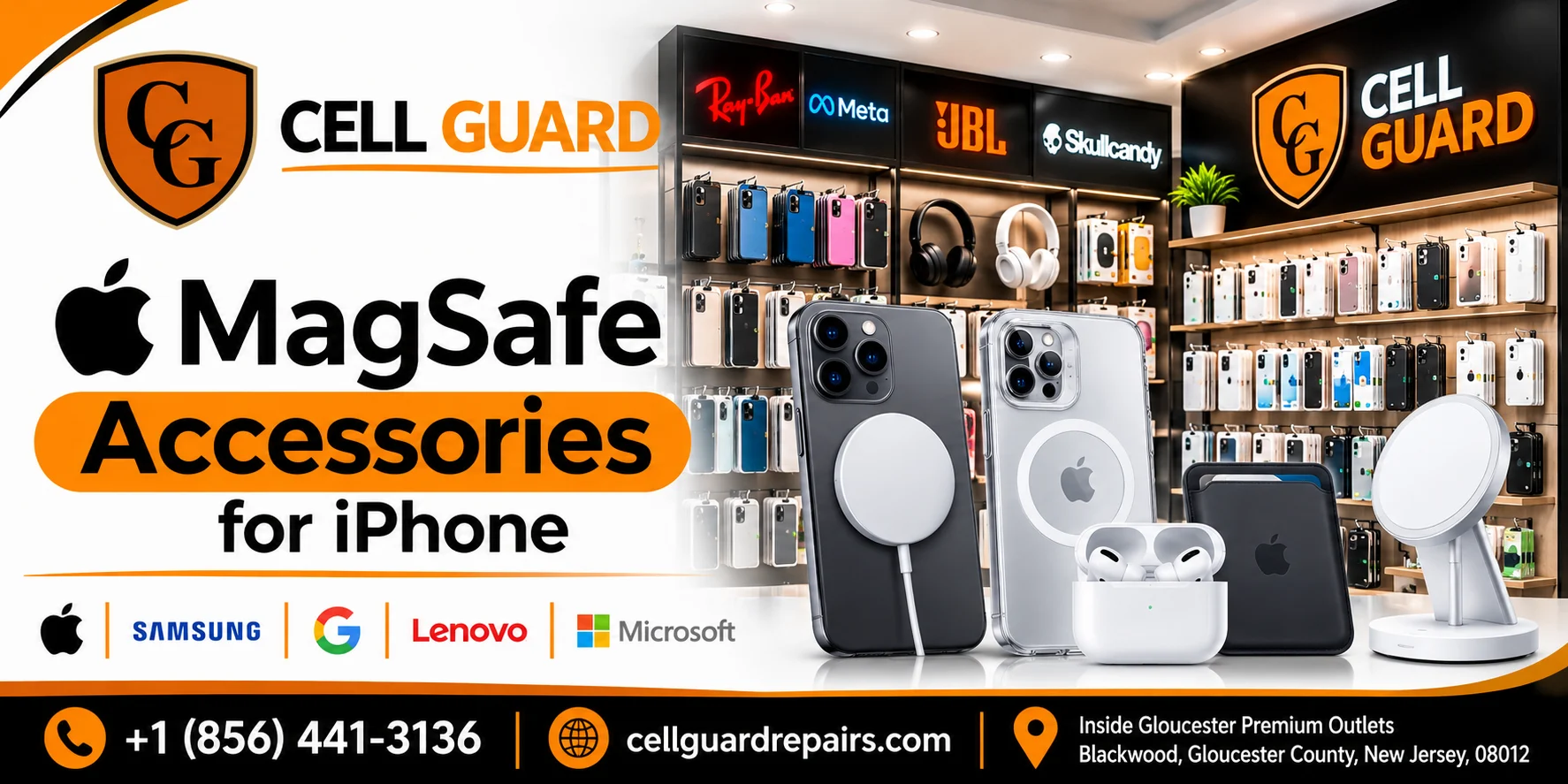
If you are shopping around Gloucester Premium Outlets in Blackwood, New Jersey, Cell Guard offers a convenient local destination for phone accessories and device-related assistance.
You can visit the store to explore available products and discuss your phone-related requirements with the team.
Why Choosing the Right Accessory Store Matters
Buying smartphone accessories should not feel like a guessing game.
Online shopping provides convenience and access to a large selection, but it can sometimes be difficult to judge the physical quality, size, finish, and compatibility of a product from photographs alone.
This is particularly true for magnetic accessories.
A charger may advertise impressive specifications, but you still need to know whether it works with your particular iPhone.
A protective case may look attractive, but its thickness or magnetic alignment may affect accessory performance.
A wallet may have the right appearance, but its card capacity may not suit your needs.
These small details can make a significant difference to your overall experience.
Why in-store assistance can help
Visiting a local phone accessory store gives you an opportunity to explore available products and discuss practical questions before making a purchase.
You can consider:
- Which case is appropriate for your iPhone model.
- Whether a particular accessory supports MagSafe.
- Which charging solution suits your daily routine.
- What type of screen protection you need.
- Whether your phone requires professional attention.
- Which accessories offer the best value for your budget.
You do not need to purchase every available accessory to improve your phone experience.
Sometimes, a better charging cable, a suitable case, or a reliable screen protector is all you need.
The goal should always be to find products that solve real problems rather than spending money on features you may never use.
Cell Guard: Your Local Destination for Phone Accessories and Device Assistance in Blackwood, NJ
Whether you are upgrading your iPhone accessories, replacing a damaged case, looking for screen protection, or exploring ways to make your smartphone easier to use, having a convenient local store can make the process simpler.
Cell Guard, located inside Gloucester Premium Outlets in Blackwood, New Jersey, provides a convenient place to explore phone accessories and get assistance with everyday device-related needs.
If you are already visiting the outlet mall, you can stop by the store and explore available accessories while shopping.
You can also discuss your phone-related requirements with the team rather than purchasing products without knowing whether they are suitable for your device.
Visit Cell Guard
Store: Cell Guard
Address: Next to UGG’s, 100 Premium Outlets Dr, Store #785, Gloucester Premium Outlets, Blackwood, NJ 08012, United States.
Directions: Find Cell Guard on Google Maps
Call for inquiries: +1 856-441-3136
Email: aroracases@gmail.com
Website: https://cellguardrepairs.com/
If your iPhone needs professional attention, you can also explore the available repair services or submit a request through the online repair form.
For more information about the store, visit the About Cell Guard page or browse the Cell Guard blog for additional device-related information and helpful tips.
Final Thoughts: Make Your iPhone Work Better for You
Your iPhone is an important part of everyday life, and the right accessories can make using it considerably easier.
From wireless charging and magnetic car mounts to compact wallets, portable battery packs, desk stands, and photography attachments, MagSafe technology offers several practical ways to improve your smartphone experience.
The biggest advantage is convenience.
Instead of dealing with complicated installations, tangled cables, and accessories that are difficult to switch between, magnetic attachments allow you to customize your phone around your routine.
However, remember that buying more accessories does not automatically mean getting more value.
Start by identifying the problems you experience most frequently.
If charging is inconvenient, explore a reliable magnetic charger. If you regularly use navigation, consider a compatible car mount. If you travel frequently, a magnetic battery pack may be worthwhile. If you want to carry fewer items, a compact magnetic wallet could be a practical choice.
Most importantly, check compatibility before purchasing. Your iPhone model, protective case, charging requirements, and accessory specifications all influence how well different products work together.
With a little research and thoughtful selection, MagSafe accessories for iPhone can help you create a more organized, convenient, and enjoyable smartphone experience.
And if you are shopping around Gloucester Premium Outlets, Blackwood, NJ, consider stopping by Cell Guard to explore available phone accessories and get assistance with your everyday device needs.
Your iPhone already does a lot. The right accessories can help you get even more out of it.
Have questions about phone accessories, device protection, or repair services? Visit Cell Guard at Gloucester Premium Outlets, call +1 856-441-3136, or send an email to aroracases@gmail.com.
Find Cell Guard on Google: View our Google Business Profile
Visit Cell Guard and make your everyday technology work smarter for you.
 by