
Introduction
Your smartphone, tablet, laptop, smartwatch, and other electronic devices have become essential parts of everyday life. From staying connected with family and friends to managing work, entertainment, online shopping, and navigation, we depend on these devices throughout the day. However, while most people pay considerable attention to the devices they purchase, they often overlook one small but extremely important accessory: the charging cable.
Genuine charging cables play a much bigger role in protecting your devices than many people realise. A charging cable is not simply a wire that connects your phone to a power adapter. It is an essential component of the charging system, responsible for delivering electrical power safely and, in many cases, transferring data between devices. The quality of that cable can influence charging performance, compatibility, reliability, and the long-term condition of your electronics.
Unfortunately, the market is filled with inexpensive, counterfeit, and poorly manufactured charging accessories. These products may look almost identical to original cables, making it difficult for ordinary consumers to distinguish a dependable accessory from one that could cause problems. Although saving a few dollars might seem attractive initially, choosing an unreliable charging cable can lead to frustrating charging interruptions, excessive heat, damaged connectors, and potentially expensive repairs.
Whether you own an iPhone, Samsung Galaxy, Google Pixel, iPad, Android tablet, or another electronic device, understanding the importance of choosing the right charging accessory can help you make smarter decisions.
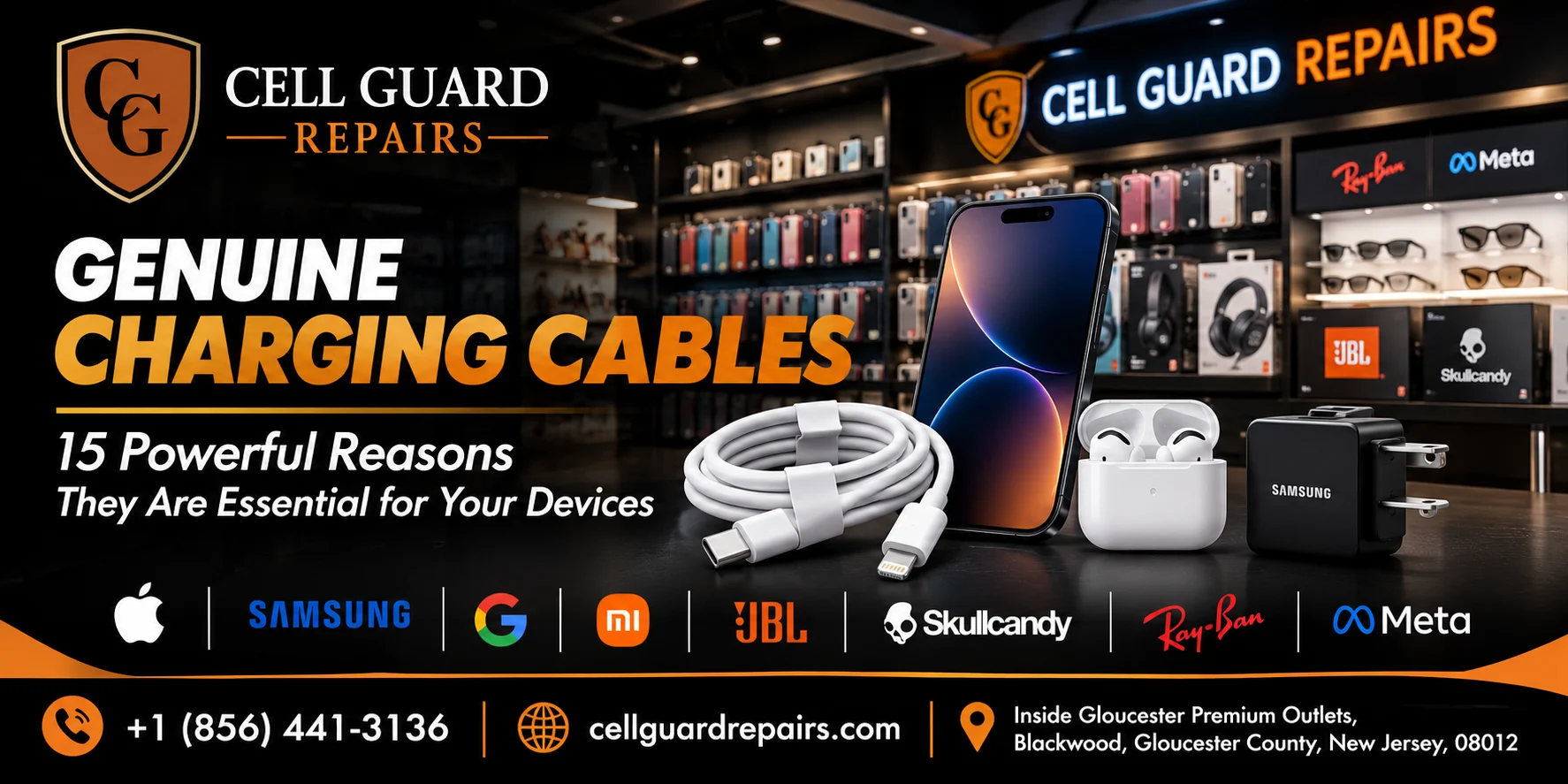
In this comprehensive guide, we explore 15 important reasons why genuine charging cables matter, how inferior alternatives can affect your devices, what to look for when purchasing a replacement, and how to identify potential charging problems before they become serious.
Let’s begin.
1. Genuine Charging Cables Help Protect Your Device’s Battery
Your device’s battery is one of its most important components. Whether you use a smartphone for work or a tablet for entertainment, battery performance directly affects how conveniently you can use your electronics.
Modern smartphones and tablets contain sophisticated battery management systems. These systems regulate charging, monitor temperature, and control how electrical energy enters the battery.
However, the charging cable remains an important part of the overall power-delivery system.
Genuine charging cables manufactured or certified for compatibility with a particular device are designed to meet relevant electrical and performance requirements. They help provide a dependable connection between the power adapter and your device.
Poor-quality cables may have inadequate wiring, inconsistent electrical connections, or connectors that do not fit correctly. Depending on the circumstances, these problems can contribute to unstable charging and unnecessary heat.
It is important to understand that a charging cable alone does not determine battery health. Battery condition is also affected by charging temperature, charging habits, battery age, software, and the power adapter. Nevertheless, choosing a properly designed cable removes one avoidable source of charging problems.
Consider these practical habits:
- Use a cable designed for your device and its charging requirements.
- Avoid charging with visibly damaged cables.
- Keep connectors clean and free from accumulated debris.
- Do not bend the cable sharply near either connector.
- Replace cables that become unusually hot or repeatedly disconnect.
- Use a compatible power adapter from a reputable manufacturer.
A dependable charging setup helps your device charge consistently while allowing its built-in battery protection features to operate as intended.
2. They Support Faster and More Reliable Charging
Have you ever connected your phone to a charger only to discover that it takes several hours to reach a reasonable battery percentage?
The problem might not always be your phone or power adapter. Sometimes, the charging cable is responsible.
Charging speed depends on several factors, including the device’s maximum supported charging rate, the power adapter’s output, the cable’s electrical capabilities, and the charging protocol being used.
For example, USB-C Power Delivery (USB-PD) allows compatible devices and chargers to negotiate suitable power levels. Some proprietary fast-charging technologies have additional compatibility requirements.
A low-quality cable may not support the necessary current or power specifications. In other situations, it may cause the charging system to reduce the power level to maintain safe operation.
This is why choosing genuine charging cables or properly certified alternatives is particularly important if you regularly use fast charging.
A compatible cable can help you:
- Achieve the charging speeds supported by your device.
- Maintain a more stable connection.
- Reduce interruptions during charging.
- Avoid unnecessary compatibility limitations.
- Get better performance from a suitable power adapter.
Remember that purchasing an expensive cable does not automatically guarantee faster charging. The cable, adapter, and device must all support the same charging capabilities.
Before purchasing a replacement, check the manufacturer’s charging specifications instead of relying exclusively on packaging claims such as ultra-fast or super-speed charging.
3. They Reduce the Risk of Overheating
Excessive heat is one of the most important warning signs to watch for when charging electronic devices.
A charging cable may become slightly warm during normal use, depending on the charging power and surrounding conditions. However, unusual heat around a connector, cable section, or charging port should never be ignored.
Poor-quality cables may contain inadequate conductors, poorly constructed connections, or low-quality insulating materials. These weaknesses can increase electrical resistance or create unreliable contact points.
When electrical resistance increases, energy can be converted into heat.
In severe cases, damaged or defective charging accessories can contribute to electrical faults, connector damage, or fire hazards.
Genuine charging cables from reputable manufacturers and properly certified suppliers are designed and tested against applicable safety and performance requirements.
This does not mean that an original cable can never develop a fault. All charging accessories can deteriorate over time. Regular inspection remains important regardless of the brand.
Watch for these warning signs:
- The cable becomes unusually hot during ordinary charging.
- The connector feels excessively warm.
- You notice discoloration around the plug.
- The cable has exposed internal wires.
- There is a burning smell near the charging connection.
- Charging repeatedly starts and stops.
If you notice burning smells, sparks, smoke, or significant overheating, disconnect power if it is safe to do so and stop using the accessory. Do not continue experimenting with a potentially defective cable.
Replacing a questionable accessory is a much better decision than risking damage to an expensive smartphone or tablet.
4. They Help Prevent Charging Port Damage
A charging port may look like a small component, but it performs an essential function.
Every time you connect your phone to a charger, the connector makes physical contact with the port. Repeated insertion and removal, dust accumulation, moisture exposure, and accidental pulling can gradually affect this connection.
The design and fit of the charging connector matter.
An incorrectly manufactured plug may fit too tightly, sit loosely, or fail to align properly with the charging port. Over time, repeated use of an unsuitable connector can contribute to mechanical wear.
Genuine charging cables are manufactured to match the dimensions and specifications of their intended connectors.
This is particularly relevant for devices that use USB-C, Lightning, or older Micro-USB connections.
Some common symptoms of charging port problems include:
- The cable falls out easily.
- Charging works only when the cable is positioned at a particular angle.
- The device repeatedly connects and disconnects.
- The connector feels unusually loose.
- Charging stops when the phone is moved.
- The charging port appears visibly damaged.
It is worth remembering that these symptoms can also be caused by accumulated lint, corrosion, or an internal hardware fault.
Avoid forcing a connector into a port or aggressively scraping inside the charging opening. If cleaning does not resolve the issue, professional inspection is advisable.
Protecting your charging port is important because replacing or repairing a damaged port can be more complicated and expensive than purchasing a suitable replacement cable.
5. They Offer Better Compatibility Across Devices
Not every charging cable works equally well with every electronic device.
Although some connectors look similar, their technical capabilities can differ considerably.
For example, USB-C describes a connector type, not a guarantee that every cable supports identical charging speeds, data-transfer rates, or video capabilities.
Some USB-C cables support basic charging and slower data transfer, while others support higher power levels, faster data transfer, or additional features.
Similarly, Apple devices have specific accessory compatibility requirements, and certain Lightning accessories may require appropriate certification.
Choosing the correct accessory prevents many everyday frustrations.
Genuine charging cables designed for your device provide greater confidence that the connector, electrical specifications, and supported features are appropriate.
Before buying a cable, consider:
- Does your device use USB-C, Lightning, or Micro-USB?
- What charging power does your device support?
- Does your adapter have a USB-A or USB-C output?
- Do you need fast charging?
- Do you regularly transfer files between devices?
- Does your device require a certified accessory?
These questions are especially important if you own multiple devices.
A cable that works perfectly with an older smartphone may not provide the same performance with a newer tablet or laptop.
Rather than assuming that one cable fits every situation, choose accessories according to the technical requirements of each device.
6. They Provide More Dependable Charging Connections
Few things are more annoying than plugging in your phone before going to bed and discovering in the morning that it barely charged.
Intermittent charging is often associated with poor-quality cables, damaged connectors, dirty ports, incompatible adapters, or internal device faults.
An unreliable cable can interrupt the electrical connection whenever it is moved slightly.
For example, imagine charging your smartphone while using it on a desk. If the cable disconnects every time you adjust the phone’s position, you may find yourself constantly reconnecting it.
This is particularly frustrating when using navigation, video calls, mobile banking, or other battery-intensive applications.
Genuine charging cables are generally manufactured with more consistent construction and quality-control requirements than unverified counterfeit alternatives.
A well-designed cable should provide a secure connection when used correctly.
However, even a genuine cable can wear out after years of bending, twisting, and everyday use.
If charging becomes inconsistent, try the following:
- Test your device with another compatible cable.
- Try a different suitable power adapter.
- Inspect the charging port for visible debris.
- Check whether the cable connector is loose.
- Restart your device if charging software appears unresponsive.
- Seek professional assistance if the problem continues.
Identifying the actual source of the problem is important because replacing a cable will not solve a defective charging port or battery.
7. They Improve Data Transfer Reliability
Charging is not the only purpose of a charging cable.
Many people use their cables to transfer photographs, videos, documents, music, and other files between smartphones, computers, tablets, and external storage devices.
However, not every cable supports data transfer.
Some inexpensive USB cables are designed primarily for charging and contain only the necessary power connections. Others support data transfer but have limited speeds.
This distinction becomes particularly important when transferring large files.
For example, backing up several gigabytes of photographs from your phone to a computer can take considerably longer with an unsuitable cable.
Genuine charging cables and reputable cables with clearly specified data capabilities help ensure that you purchase the functionality you actually need.
Before purchasing a cable, check:
- Whether it supports charging only or charging and data transfer.
- Its advertised USB data-transfer standard.
- Whether it is compatible with your computer and smartphone.
- Whether it supports the features required by your devices.
- Whether its connector type matches your equipment.
It is also worth noting that USB-C cables can have very different data-transfer capabilities despite looking almost identical.
If you frequently transfer work files, photographs, or videos, investing in a cable with suitable data specifications can save considerable time.
8. They Can Help Reduce Electrical Safety Risks
Electrical safety should never be treated as an optional consideration when purchasing charging accessories.
Counterfeit and poorly manufactured cables may not follow the relevant electrical, material, and manufacturing standards.
Some products make impressive claims about fast charging without providing reliable evidence of their actual capabilities.
This creates unnecessary uncertainty.
A defective cable may have inadequate insulation, poorly connected internal conductors, or weak connector construction.
These problems can increase the risk of short circuits, overheating, and electrical damage.
Genuine charging cables sourced from reputable manufacturers or authorised suppliers offer greater assurance of appropriate design and quality control.
When buying charging accessories, look for:
- Reputable manufacturer information.
- Accurate product specifications.
- Appropriate safety and certification markings.
- Clear compatibility information.
- Reliable packaging and documentation.
- A reasonable warranty or return policy.
Be cautious of products advertised at unusually low prices, especially when they claim to offer premium specifications without identifying the manufacturer.
Also, remember that certification claims should be verified where possible. A logo printed on packaging does not automatically establish that a product is certified.
Good charging practices matter just as much as cable quality. Avoid charging devices under pillows, covering power adapters with blankets, or using damaged electrical accessories.
A little attention to charging safety can prevent serious problems.
9. They Are Often More Durable in Everyday Use
Think about how many times you connect and disconnect your charging cable in a typical week.
You might charge your phone at home, connect it in your car, carry it to work, and use it while travelling.
All this repeated handling puts stress on the cable.
The areas closest to the connectors are particularly vulnerable because they experience repeated bending.
Low-quality cables may use weaker materials, inadequate strain relief, or poorly secured internal wiring.
As a result, they may develop visible damage or intermittent electrical connections relatively quickly.
Many genuine charging cables are designed with materials and construction methods intended to meet their specified durability requirements.
Some include reinforced connector housings, flexible insulation, or additional strain relief.
However, durability varies between manufacturers and models. A genuine cable can still break if it is repeatedly pulled, twisted, or crushed.
To extend the life of your cable:
- Hold the connector rather than pulling the wire.
- Avoid wrapping it too tightly.
- Keep it away from sharp edges.
- Do not place heavy objects on it.
- Store it properly when travelling.
- Avoid bending it sharply at the connector.
- Replace it if the insulation becomes damaged.
A cable that lasts longer can offer better value because you do not have to replace it as frequently.
10. They Help You Get the Most From Your Fast-Charging Adapter
Many modern smartphones come with fast-charging capabilities, but the charging adapter alone does not determine how quickly a device charges.
The cable is another important part of the equation.
For example, a compatible USB-C Power Delivery adapter may support a higher power output, but the cable must also support the required current and power specifications.
Some high-power charging applications require cables with electronic identification components, commonly called e-markers.
Without the appropriate cable, the charging system may limit the power delivered.
This is why purchasing genuine charging cables or suitable cables from reputable manufacturers is important when upgrading your charger.
Consider the following example:
You purchase a high-quality 45W charging adapter for a compatible smartphone. However, the old cable you use is not designed for the required charging capabilities.
Your phone may still charge, but it might not achieve the expected charging speed.
The solution is not necessarily to purchase an even more powerful adapter. You may simply need a compatible cable.
Always check the charging specifications of all three components:
- The smartphone or tablet.
- The charging adapter.
- The charging cable.
The lowest supported capability in the charging combination can limit the overall result.
Matching these components correctly is a practical way to get the performance you paid for.
11. They Reduce the Chances of Unexpected Charging Interruptions While Travelling
Imagine being at an airport, using your smartphone for boarding passes, navigation, travel bookings, and communication.
Your battery is running low, and you connect your device to a charging station.
Unfortunately, your cable repeatedly disconnects or charges extremely slowly.
This is exactly the kind of inconvenience that a reliable charging accessory can help prevent.
Travelling places additional demands on charging cables. They are frequently packed, unpacked, bent, carried in bags, and used in unfamiliar environments.
An unreliable cable can quickly become a major inconvenience.
Keeping genuine charging cables or reputable compatible alternatives in your travel kit is a sensible precaution.
Here are a few useful travel tips:
- Carry a spare compatible charging cable.
- Use a suitable wall adapter.
- Check the cable before leaving home.
- Avoid using cables with damaged connectors.
- Keep your charging accessories organised.
- Carry a power bank with an appropriate charging cable.
- Avoid leaving cables exposed to moisture or excessive heat.
If you travel internationally, remember that plug adapters and charging cables serve different purposes. A plug adapter changes the physical connection to a wall socket, while a charging adapter converts electrical power into a suitable output for your device.
Using the right combination makes charging more convenient and dependable wherever you go.
12. They Can Help Prevent Expensive Device Repairs
A charging cable is generally a relatively inexpensive accessory compared with a modern smartphone or tablet.
However, choosing the wrong cable can expose your device to avoidable risks.
Poorly constructed accessories may cause intermittent connections, excessive heat, connector problems, or electrical faults.
Although a cable is not the only possible cause of charging-related damage, using a defective accessory is an unnecessary risk.
Consider the potential cost of a charging problem:
- A damaged charging port may require professional repair.
- A faulty battery may need replacement.
- A defective charging circuit may require more extensive diagnosis.
- A damaged connector may prevent reliable charging.
- An electrical fault may affect other internal components.
The actual repair cost depends on the device, its construction, the nature of the fault, and the availability of replacement components.
This is where preventative maintenance becomes valuable.
Purchasing genuine charging cables or verified compatible alternatives is a relatively simple step towards reducing avoidable charging problems.
It is also worth understanding that replacing the cable will not repair existing hardware damage.
If your device refuses to charge even with a known-good compatible cable and adapter, professional diagnosis is the better approach.
At Cell Guard, customers can seek assistance with everyday phone-related concerns, including charging issues and device repair requirements. Getting the problem checked early can help prevent unnecessary guesswork and avoid replacing accessories that are not actually responsible for the issue.
13. They Offer Better Long-Term Value Than Constantly Replacing Cheap Alternatives
A low-priced cable may initially seem like the most economical option.
However, the purchase price is only one part of its overall value.
Imagine purchasing several inexpensive cables over a short period because each develops a loose connector, damaged insulation, or inconsistent charging performance.
The combined cost may eventually exceed what you would have spent on one reliable accessory.
There is also the inconvenience of repeatedly shopping for replacements.
Genuine charging cables from reputable manufacturers may cost more initially, but they can offer better long-term value when their construction, specifications, and durability are appropriate for your usage.
When comparing cables, consider:
- Expected durability.
- Charging compatibility.
- Supported power levels.
- Data-transfer requirements.
- Warranty coverage.
- Manufacturer reputation.
- Availability of customer support.
Avoid assuming that the most expensive cable is automatically the best.
A reasonably priced cable from a reputable manufacturer may be more suitable than an expensive accessory with specifications you do not need.
The objective should be to purchase a cable that meets your actual requirements and provides dependable performance.
Spending wisely means considering quality and suitability rather than simply choosing the lowest available price.
14. They Help Maintain a Better Charging Experience for Tablets and Other Devices
Smartphones are not the only electronics that depend on reliable charging accessories.
Tablets, wireless headphones, smartwatches, portable gaming devices, Bluetooth speakers, and laptops also require suitable charging connections.
Some of these devices have different charging requirements.
For example, a tablet may support higher charging power than a basic smartphone. A laptop using USB-C may require a significantly higher wattage than a small accessory.
Using an unsuitable cable can limit charging performance or prevent certain functions from working correctly.
This makes genuine charging cables particularly important for households that own several different electronic devices.
Here are a few examples:
Smartphones: A compatible cable supports the charging requirements of your device and may also allow data transfer.
Tablets: Larger batteries and higher charging requirements make cable specifications particularly important.
Laptops: USB-C laptops may require cables rated for higher power delivery.
Wireless headphones: A suitable cable helps provide a dependable connection for regular charging.
Smartwatches: Many smartwatches use proprietary charging connectors or magnetic charging systems.
Gaming devices: Portable gaming systems may have specific charging and power requirements.
Rather than assuming that one universal cable will work perfectly with every device, check the manufacturer’s requirements.
Choosing suitable accessories helps you avoid unnecessary compatibility problems and keeps your everyday electronics ready for use.
15. They Provide Greater Confidence and Peace of Mind
Ultimately, one of the biggest advantages of choosing a reputable charging cable is confidence.
You should not have to worry every time you plug your smartphone into a charger.
You should not have to repeatedly adjust the connector, wonder whether your device is receiving adequate power, or worry about unusual heat.
A dependable charging accessory makes everyday technology easier to use.
Genuine charging cables from trusted sources provide greater confidence in product specifications, manufacturing quality, and compatibility.
They also make it easier to build a reliable charging setup for your home, workplace, or travel requirements.
Although no cable can guarantee that charging problems will never occur, choosing the right accessory is an important part of responsible device ownership.
A good charging setup should be simple:
- A compatible power adapter.
- A suitable, well-manufactured cable.
- A clean and undamaged charging port.
- A safe charging environment.
- Regular inspection of accessories.
When these elements work together, your daily charging routine becomes considerably more dependable.
How to Identify a Genuine Charging Cable Before Purchasing
Now that we understand why cable quality matters, the next question is obvious: how can you tell whether a charging cable is genuine?
Unfortunately, counterfeit accessories have become increasingly sophisticated.
Some look almost identical to original products, including their packaging, branding, and connector designs.
Therefore, relying exclusively on appearance is not enough.
Here are several practical ways to evaluate a charging cable before purchasing it.
1. Purchase From Reputable Sellers
One of the easiest ways to reduce the chances of purchasing counterfeit accessories is to buy from established retailers and authorised sellers.
Avoid unknown sellers who cannot provide reliable product information or proof of authenticity.
A trustworthy retailer should be able to explain the product’s compatibility and specifications.
2. Examine the Packaging
Check the packaging for:
- Manufacturer details.
- Product model information.
- Compatibility specifications.
- Appropriate certification details.
- Clear printing and labelling.
- Warranty or support information.
Poor printing, spelling mistakes, missing manufacturer information, and inconsistent branding may indicate a questionable product.
However, convincing packaging does not guarantee authenticity.
3. Check the Connector Quality
Examine both ends of the cable.
Look for clean construction, properly aligned connectors, and consistent finishing.
Avoid cables with rough edges, loose components, exposed wires, or connectors that appear poorly assembled.
4. Verify Charging Specifications
Look beyond advertising terms such as fast charging, super charging, or premium quality.
Check the actual technical specifications.
For USB-C cables, relevant details may include supported power delivery, current rating, data-transfer standard, and other supported functions.
5. Check Apple Accessory Compatibility
If you use an Apple device with a Lightning connector, look for appropriately certified accessories.
Apple’s MFi (Made for iPhone/iPad) programme is relevant to supported third-party accessories.
For newer USB-C devices, check the device manufacturer’s specifications and the cable’s stated capabilities rather than assuming that all USB-C products are identical.
6. Be Careful With Unusually Cheap Deals
A significantly discounted product is not automatically counterfeit.
However, an advertised premium cable being sold at an implausibly low price should encourage you to investigate further.
Check the seller, manufacturer, specifications, and return policy before purchasing.
7. Test the Cable Carefully
After purchasing a cable, connect it to a compatible power adapter and device.
Observe whether charging begins normally.
If the cable supports data transfer, check that it works with a compatible computer or other device.
Stop using it if you notice unusual heat, unstable connections, or visible damage.
Genuine vs. Cheap Counterfeit Charging Cables: What’s the Difference?
Understanding the difference between a dependable accessory and a questionable alternative can make purchasing decisions much easier.
Here is a practical comparison.
| Feature | Genuine or Reputable Cable | Poor-Quality or Counterfeit Cable |
|---|---|---|
| Manufacturing | Typically follows stated specifications and quality controls | May have inconsistent manufacturing quality |
| Compatibility | Clearly stated compatibility | Compatibility may be uncertain |
| Charging performance | Designed for specified charging capabilities | May deliver inconsistent or limited performance |
| Connector quality | Generally more consistent construction | May have poorly finished connectors |
| Safety | Designed to meet applicable requirements | Safety compliance may be uncertain |
| Data transfer | Specifications are generally identified | May support limited or no data transfer |
| Durability | Depends on manufacturer and model | May deteriorate quickly |
| Warranty | May include manufacturer support | Support may be limited or unavailable |
The most important distinction is not necessarily the brand printed on the cable.
It is whether the accessory genuinely meets the specifications and safety requirements advertised by its manufacturer.
A properly certified third-party cable can be an excellent choice. Original manufacturer accessories are not the only reliable option.
Common Charging Cable Mistakes You Should Avoid
Even when you purchase a high-quality cable, incorrect handling can shorten its lifespan.
Here are some common mistakes that are worth avoiding.
Pulling the Cable Instead of the Connector
When disconnecting your phone, always hold the connector.
Pulling the wire places unnecessary stress on the internal conductors and connector joints.
Repeatedly doing this can eventually cause damage.
Using a Damaged Cable
Frayed insulation, exposed wires, bent connectors, and loose plugs are signs that a cable should be replaced.
Do not attempt to repair damaged charging cables using ordinary tape.
Bending the Cable Too Sharply
The section closest to the connector experiences considerable stress.
Avoid folding or bending the cable sharply, particularly when using your phone while charging.
Ignoring Unusual Heat
If a cable becomes excessively hot, disconnect it and investigate the cause.
Do not assume that every heating issue is normal.
Buying Based Only on Appearance
Two cables can look identical but have very different electrical and data-transfer capabilities.
Always check the specifications.
Using the Wrong Power Adapter
A charging cable and adapter should be compatible with your device.
Do not assume that every charger with the correct physical connector provides suitable electrical output.
Leaving Cables Exposed to Moisture
Water and electrical connections are an unsafe combination.
Keep cables and connectors dry, and never connect a visibly wet charging accessory.
What to Do When Your Phone Is Not Charging Properly
A charging problem does not automatically mean that your smartphone needs repair.
Sometimes, the solution is as simple as replacing a defective cable or cleaning accumulated debris from the charging port.
However, other situations require professional attention.
Here is a straightforward troubleshooting approach.
Step 1: Check the Charging Cable
Look for visible damage, bent connectors, frayed insulation, or loose connections.
If the cable appears damaged, stop using it.
Step 2: Test Another Compatible Cable
Try a known-good cable that supports your device’s charging requirements.
If the phone begins charging normally, the original cable may be faulty.
Step 3: Check the Power Adapter
The problem may be related to the adapter rather than the cable.
Try another suitable power adapter from a reputable manufacturer.
Step 4: Inspect the Charging Port
Dust and lint can accumulate inside charging ports, particularly when phones are frequently carried in pockets or handbags.
This buildup can prevent the connector from making proper contact.
Avoid inserting metal objects or applying liquids.
If debris is difficult to remove, seek professional cleaning.
Step 5: Restart Your Device
Occasionally, temporary software issues can affect charging indicators or device behaviour.
Restarting your smartphone is a simple troubleshooting step.
Step 6: Check for Battery Problems
If your phone charges very slowly, switches off unexpectedly, or loses battery percentage unusually quickly, the battery may require inspection.
A worn-out battery can cause symptoms that resemble charging accessory problems.
Step 7: Seek Professional Diagnosis
If the problem continues despite testing compatible cables and adapters, there may be an issue with the charging port, battery, or internal charging circuitry.
A professional technician can inspect the device and identify the actual problem.
If you are experiencing persistent charging difficulties, you can submit a repair enquiry through the Cell Guard repair form.
Getting the device checked can help you avoid unnecessary accessory purchases and identify hardware problems before they become more inconvenient.
Are Third-Party Charging Cables Safe to Use?
This is one of the most common questions consumers ask.
The short answer is yes. Third-party charging cables can be perfectly safe when they are manufactured by reputable companies and meet the requirements of the device they are intended to charge.
You do not necessarily have to purchase an accessory directly from your smartphone manufacturer.
Several established accessory manufacturers produce cables designed to meet recognised technical and safety standards.
The important thing is to distinguish between a reputable third-party product and an unverified counterfeit.
When considering a third-party cable, look for:
- A recognised manufacturer.
- Accurate charging specifications.
- Appropriate safety certifications.
- Clearly stated device compatibility.
- Suitable connector construction.
- A reliable warranty or return policy.
For Apple Lightning devices, check relevant MFi certification where applicable.
For USB-C devices, look for clearly stated USB specifications and charging capabilities.
A good-quality third-party cable can provide excellent performance without requiring you to pay exclusively for a manufacturer’s branding.
The objective is to purchase a reliable accessory rather than simply the cheapest available option.
How Often Should You Replace Your Charging Cable?
There is no universal replacement schedule for charging cables.
Some cables remain in excellent condition for years, while others may become damaged after only a few months of heavy use.
The lifespan depends on several factors:
- How frequently you use the cable.
- How carefully you handle it.
- Whether it is repeatedly bent.
- The quality of its materials.
- How it is stored.
- Whether it is exposed to moisture or excessive heat.
Instead of replacing a cable according to a fixed timetable, inspect it regularly.
Replace it immediately if you notice:
- Exposed internal wires.
- Torn or frayed insulation.
- Loose or damaged connectors.
- Unusual heating.
- Burning smells.
- Repeated charging interruptions.
- Visible corrosion.
- Physical damage near either connector.
Do not wait for a cable to stop working completely before replacing it.
A visibly damaged accessory is not worth the risk.
Choosing the Right Charging Cable for Your Device
The best cable depends on the device you own and how you use it.
Here are a few considerations for popular device categories.
iPhone Users
Different generations of iPhones use different charging connectors.
Older models use Lightning, while newer models use USB-C.
Check your particular model before purchasing a replacement.
If your iPhone supports fast charging, choose a cable and compatible power adapter that meet its charging requirements.
Samsung Galaxy Users
Many modern Samsung Galaxy smartphones use USB-C.
However, fast-charging capabilities differ between models.
Check whether your phone supports the relevant USB Power Delivery or Samsung Super Fast Charging requirements and choose a suitable cable and adapter.
Google Pixel Users
Google Pixel devices generally use USB-C.
Choose cables and adapters that meet your particular Pixel model’s power-delivery requirements.
iPad Users
Some iPads use USB-C, while older models use Lightning.
Because tablets can have different charging requirements from smartphones, check the specifications before purchasing a replacement.
Laptop Users
USB-C laptops may require cables rated for higher power levels.
Some devices support charging through USB-C Power Delivery, while others have manufacturer-specific requirements.
Never assume that an ordinary phone charging cable will be suitable for every laptop.
Why Buying Your Charging Accessories From a Trusted Local Store Matters
Online shopping offers convenience, but purchasing charging accessories from a reliable physical retailer has several advantages.
One of the biggest benefits is the ability to discuss your device’s requirements before making a purchase.
Many consumers are unsure which cable they need.
They may not know whether their phone uses USB-C or Lightning, whether their charger supports fast charging, or whether a particular cable is suitable for their tablet.
A knowledgeable retailer can help clarify these questions.
Buying locally also gives you an opportunity to examine the product, ask about compatibility, and understand the available options.
For customers around Blackwood and Gloucester Premium Outlets, Cell Guard provides a convenient local destination for phone accessories and device-related assistance.
Rather than guessing which charging accessory might work, you can visit the store and discuss your requirements.
Whether you need a replacement charging cable, help identifying a suitable accessory, or assistance with a device that refuses to charge, getting the right information can make the experience considerably easier.
Cell Guard: Your Local Destination for Phone Accessories and Repair Assistance
Your smartphone is an important investment, and taking care of it should not be complicated.
From choosing compatible charging accessories to understanding everyday device problems, making informed decisions can help you avoid unnecessary expenses.
At Cell Guard, the focus is on helping customers find practical solutions for their mobile device needs.
Located at Gloucester Premium Outlets in Blackwood, New Jersey, Cell Guard offers a convenient location for shoppers looking for phone accessories and repair-related assistance.
Whether you are dealing with a charging issue, need a replacement accessory, or have questions about maintaining your device, the team can help you explore suitable options.
The aim is simple: help customers make informed decisions about their devices rather than encouraging unnecessary purchases or repairs.
If you are planning a visit, you can explore the Cell Guard homepage to learn more about the store.
You can also visit the About Us page to learn more about the business or browse the services page for information about available services.
For customers who need assistance with a charging problem or another device issue, the online repair form provides a convenient way to submit an enquiry.
Frequently Asked Questions About Genuine Charging Cables
1. Why should I use genuine charging cables instead of cheap alternatives?
Genuine charging cables from reputable manufacturers are designed to meet specified electrical, safety, and compatibility requirements. Cheap, unverified alternatives may have inconsistent construction, unreliable connections, and uncertain performance.
Choosing a dependable cable can help reduce avoidable charging problems.
2. Can a bad charging cable damage my phone?
A defective cable can contribute to charging instability, excessive heat, or electrical problems. In certain circumstances, this can damage connectors or other components.
Not every inexpensive cable is defective, but it is important to purchase accessories from reputable manufacturers.
3. Do genuine charging cables make phones charge faster?
They can help your phone achieve its supported charging speed when the cable is compatible with the device and power adapter.
However, the cable alone cannot increase charging speed beyond the capabilities of the other components.
4. Can I use a third-party charging cable for my iPhone?
Yes. Third-party cables can be suitable when they meet Apple’s applicable accessory requirements and the technical specifications of your iPhone.
For Lightning accessories, look for appropriate MFi certification. For USB-C devices, check the cable’s specifications and compatibility.
5. Why does my phone charge only when I bend the cable?
This often indicates a damaged cable, worn connector, dirty charging port, or another connection problem.
Try a known-good compatible cable. If the issue continues, have the charging port professionally inspected.
6. Is USB-C the same as fast charging?
No. USB-C describes the connector type.
Charging speed depends on the device, adapter, cable specifications, and charging protocol. Not every USB-C cable supports the same power levels.
7. Can a charging cable affect battery health?
A poor-quality or damaged cable can contribute to unstable charging and overheating in certain situations.
However, battery health is influenced by several factors, including temperature, battery age, charging cycles, and device usage.
8. How do I know whether my charging cable supports fast charging?
Check the cable’s technical specifications and compare them with the requirements of your device and power adapter.
Look for its supported current, power rating, and compatibility with relevant charging protocols.
9. Should I replace a charging cable that gets hot?
If a cable becomes unusually hot, stop using it and investigate the problem.
A damaged cable, faulty adapter, poor connection, or device issue could be responsible. Do not continue using an accessory that shows signs of overheating.
10. Why does my new charging cable still charge slowly?
Possible reasons include an incompatible cable, insufficient adapter output, device charging limitations, background applications, high device temperature, or battery-related issues.
Check the specifications of all charging components.
11. Can I use the same charging cable for my phone and tablet?
Sometimes. However, compatibility depends on the connectors, charging requirements, and supported power levels of both devices.
A USB-C cable that works with a phone may not provide the charging performance required by a tablet.
12. Are braided charging cables better?
Braided cables can offer additional protection against certain types of external wear, depending on their construction.
However, a braided exterior does not automatically guarantee better electrical performance, safety, or charging speed.
Always check the manufacturer’s specifications.
13. Can a faulty charging cable damage the charging port?
A poorly fitting or damaged connector can contribute to mechanical wear or connection problems.
Use correctly manufactured cables and avoid forcing connectors into charging ports.
14. Why is my phone not charging even with a new cable?
The issue may be related to the power adapter, charging port, battery, software, or internal charging circuitry.
Try another compatible adapter and cable. If the problem persists, professional diagnosis is recommended.
15. Where can I get help with phone charging problems near Gloucester Premium Outlets?
You can visit Cell Guard at Gloucester Premium Outlets, Blackwood, New Jersey, for phone accessories and device-related assistance.
Store address:
Next to UGG’s, 100 Premium Outlets Dr, Store #785, Gloucester Premium Outlets, Blackwood, NJ 08012, United States.
You can call the store at +1 856 441 3136 or contact the team by email at aroracases@gmail.com.
Final Thoughts: Make the Right Choice for Your Devices
Charging cables may be small accessories, but their importance should never be underestimated.
They influence how reliably your smartphone, tablet, and other electronic devices receive power. They also play an important role in data transfer, charging compatibility, and the overall safety of your charging setup.
Choosing genuine charging cables or properly certified alternatives from reputable manufacturers is a practical way to reduce unnecessary risks and improve your everyday charging experience.
Remember that a cable does not have to carry the same brand name as your smartphone to be reliable. What matters most is its construction quality, compatibility, specifications, and compliance with applicable standards.
Avoid making purchasing decisions based solely on price. Check the connector, understand your device’s charging requirements, and choose accessories from trustworthy sources.
If your phone continues to experience charging problems despite using a suitable cable and adapter, do not automatically assume that you need another accessory. The issue could be related to the charging port, battery, or internal hardware.
Getting the right advice can save you time, money, and frustration.
For customers around Blackwood and Gloucester Premium Outlets, Cell Guard is conveniently located to help with everyday phone accessory and repair-related needs.
Visit Cell Guard at Gloucester Premium Outlets and make informed choices about the accessories that keep your devices powered and ready for everyday life.
Cell Guard – Phone Repairs & Accessories – Premium Outlets
Store Address: Next to UGG’s, 100 Premium Outlets Dr, Store #785, Gloucester Premium Outlets, Blackwood, NJ 08012, United States.
Call Now: +1 856 441 3136
Email: aroracases@gmail.com
Get Directions: Find Cell Guard on Google Maps
Visit Our Google Business Profile: Cell Guard – Phone Repairs & Accessories – Premium Outlets
 by